

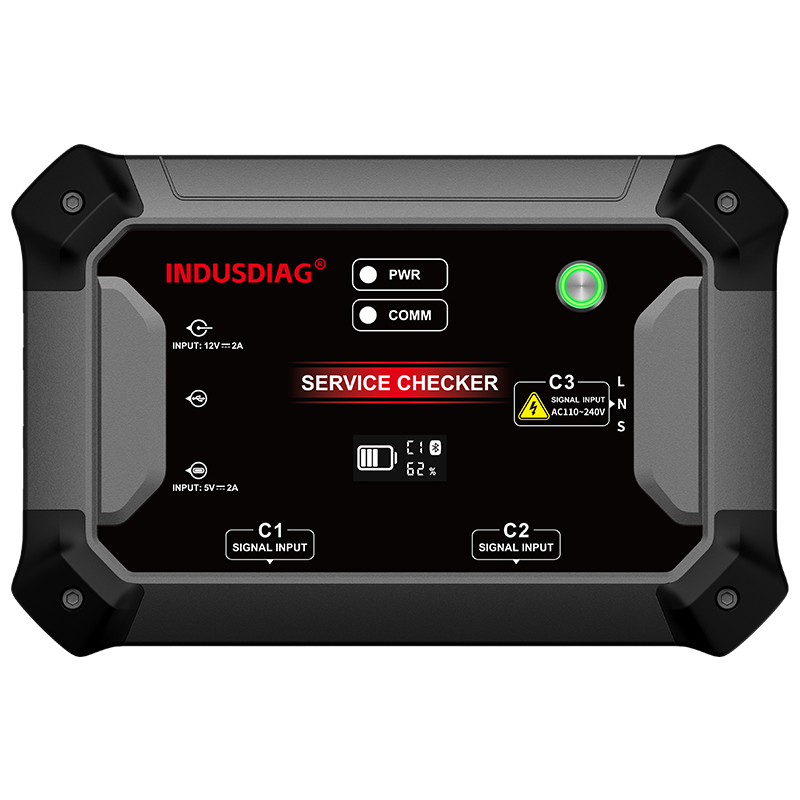
The AC600 Service Checker is the first-generation portable smart diagnostic tool in OBDSTAR's strategic plan, serving as an invaluable assistant for air conditioner maintenance technicians!
PRODUCT DESCRIPTION
The AC600 Service Checker is the first-generation portable smart diagnostic scanner under INDUSDIAG's strategic initiative. Developed through extensive research and analysis by industry experts, it introduces a brand-new platform that seamlessly supports both Android mobile devices and Windows PCs. The AC600 integrates comprehensive functions, including diagnosis for large central air conditioners, VRF (Variable Refrigerant Flow) systems, and residential mini-splits, as well as module board driving, indoor/outdoor unit simulation, and passcode queries. Inheriting the robust platform from INDUSDIAG, the AC600 features auto-recognition, smart search, and one-click upgrades. Complete with extensive built-in help resources, it is the ultimate diagnostic companion for HVAC technicians!
FUNCTION DESCRIPTION
Advanced Functions
Integrates data monitoring and fault diagnosis for globally renowned HVAC brands.
Diagnostic data precision rivals OEM standards.
Supports both PC (Windows 10 and above) and Android mobile devices (Android 8.0 and above) for flexible operation.
Features Bluetooth connectivity for a hassle-free, untethered maintenance experience.
Includes industry-first Troubleshooting Guide, Service Help, Technical Bulletins, Communication Port Location, and other modules to ensure precise and efficient diagnostics.
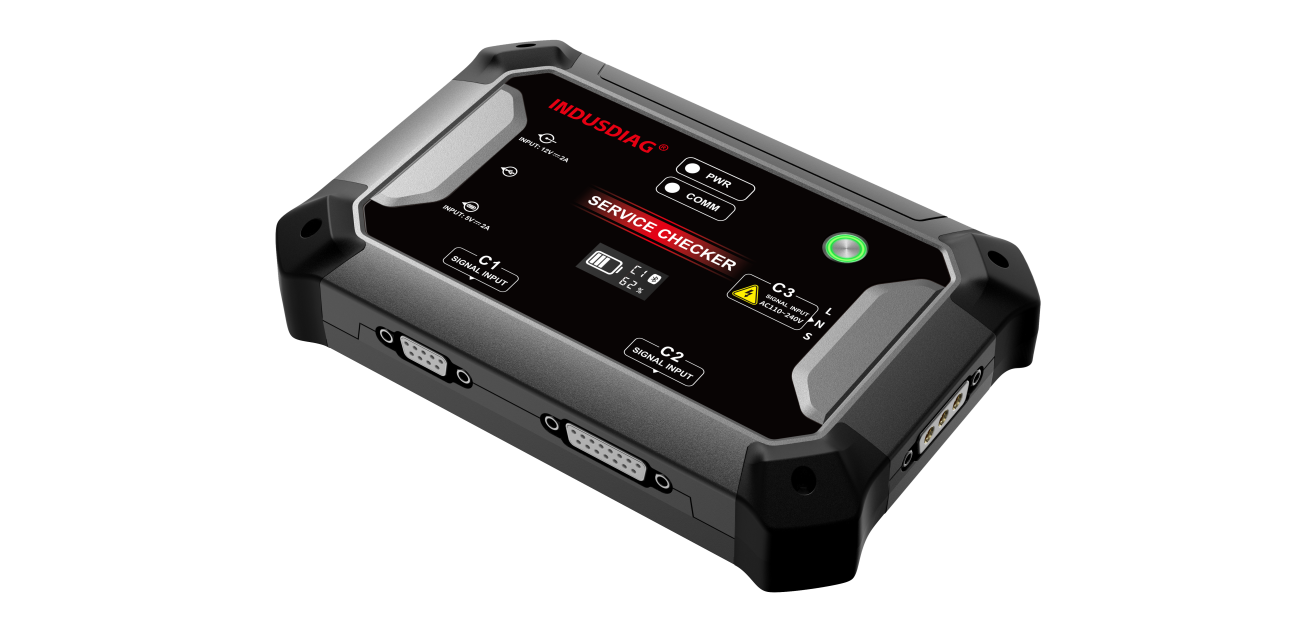
Supports RS485, RS232, TTL, TTL_Uniline, UART (MIDEA), I2C (MIDEA), HBS (HBS_UART, HBS_PWM_I, HBS_PWM_II), CANBUS, and LNS protocols. It covers the vast majority of HVAC brands on the market, with continuous software updates to add more.
Wi-Fi Connectivity enables one-click software upgrades.
Supports bus control, outdoor unit control, indoor unit function settings, system function settings, commissioning, comprehensive system control, and other special functions.
Support Brands
AC600 A: Residential Split AC Systems
AUX, GALANZ, GREE, HAIER, HISENSE, MIDEA HIGH-VOLTAGE, MIDEA LOW-VOLTAGE, TCL, YANGZI, CHANGHONG, CHIGO
AC600 B: VRF Systems
AUX, GREE, TCL, MIDEA, HAIER, CHIGO, GREEVEE, TICA, MITSUBISHI ELECTRIC, MITSUBISHI HEAVY INDUSTRIES, MITSUBISHI HEAVY INDUSTRIES-HAIER, HITACHI, HITACHI-HISENSE, DAIKIN, PANASONIC, TOSHIBA, LG, SAMSUNG, MCQUAY, TRANE, YORK, CARRIER, EUK, BOSCH(Upcoming upgrade: SANYO, FUJITSU, CARRIER BRYANT, DUNHAM-BUSH)
AC600 C: Large water-cooled chiller system
GREE, DAIKIN, MCQUAY, YORK(Upcoming upgrade: HAIER, EUK, TRANE, CARRIER, MCQUAY, DUNHAM-BUSH)
AC600 D: Indoor/Outdoor Unit Simulation
AUX, DAIKIN, GREE 485, HAIER, MIDEA 485-V6, OLD SAMSUNG
Function Display
1) Function Interface / Supported Brands


2) Function Menu

3) Operational Data

4) Service Check


5) System Settings

6) Parameter Settings

7) Fault Codes

8) Service Guide – Troubleshooting Guide


9) Service Guide – Service Help

| Operating System | Windows 10 & above / Android 8.0 & above |
| Processor | STM32F407ZGT6 |
| Supported Protocols | RS485, RS232, TTL, TTL_Uniline, UART (MIDEA), I2C (MIDEA), HBS (HBS_UART, HBS_PWM_I, HBS_PWM_II), CANBUS, LNS |
| Battery | 3500mAh high-temperature lithium battery |
| Screen Resolution | 0.96-inch OLED Monochrome Display |
| Screen Resolution | 128*64 |
| Wireless Connectivity | Bluetooth 5.0 & above |
| Operating Temperature | -10℃ – 55℃ (14℉ – 131℉) |
| Storage Temperature | -20℃ – 70℃ (-4℉ – 158℉) |
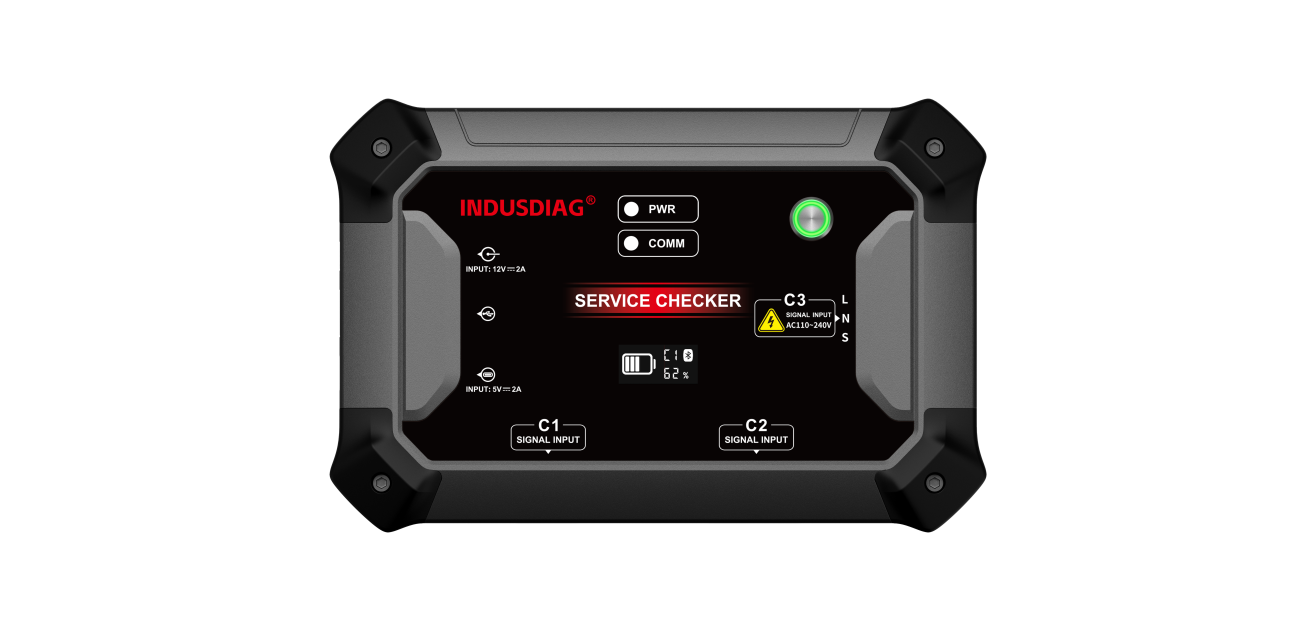
| Weight | Approx. 0.75kg |
| Dimensions | 176mm x 115mm x 31.7mm |
| Warranty | 1-year hardware warranty; 1-year of free software upgrades (effective from date of registration) |



Account
Q: Can one diagnostic tool be registered with multiple accounts?
A: No. One account is bound to one diagnostic tool only.
Purchasing
Q: How do I purchase and activate the software?
A: Purchase and activate it directly in the Software Store.
Q: I purchased the Basic Configuration. Can I upgrade to other configurations?
A: Yes. You can purchase software for single or multiple brands, or pay the price difference to upgrade to the Standard Configuration or Comprehensive Configuration. (Subject to current pricing policy.)
Q: Will there be any charges for future updates of the activated software?
A: No annual subscription fee will be charged within 3 years.
Q: Why doesn't the diagnostic tool have the module board driver function?
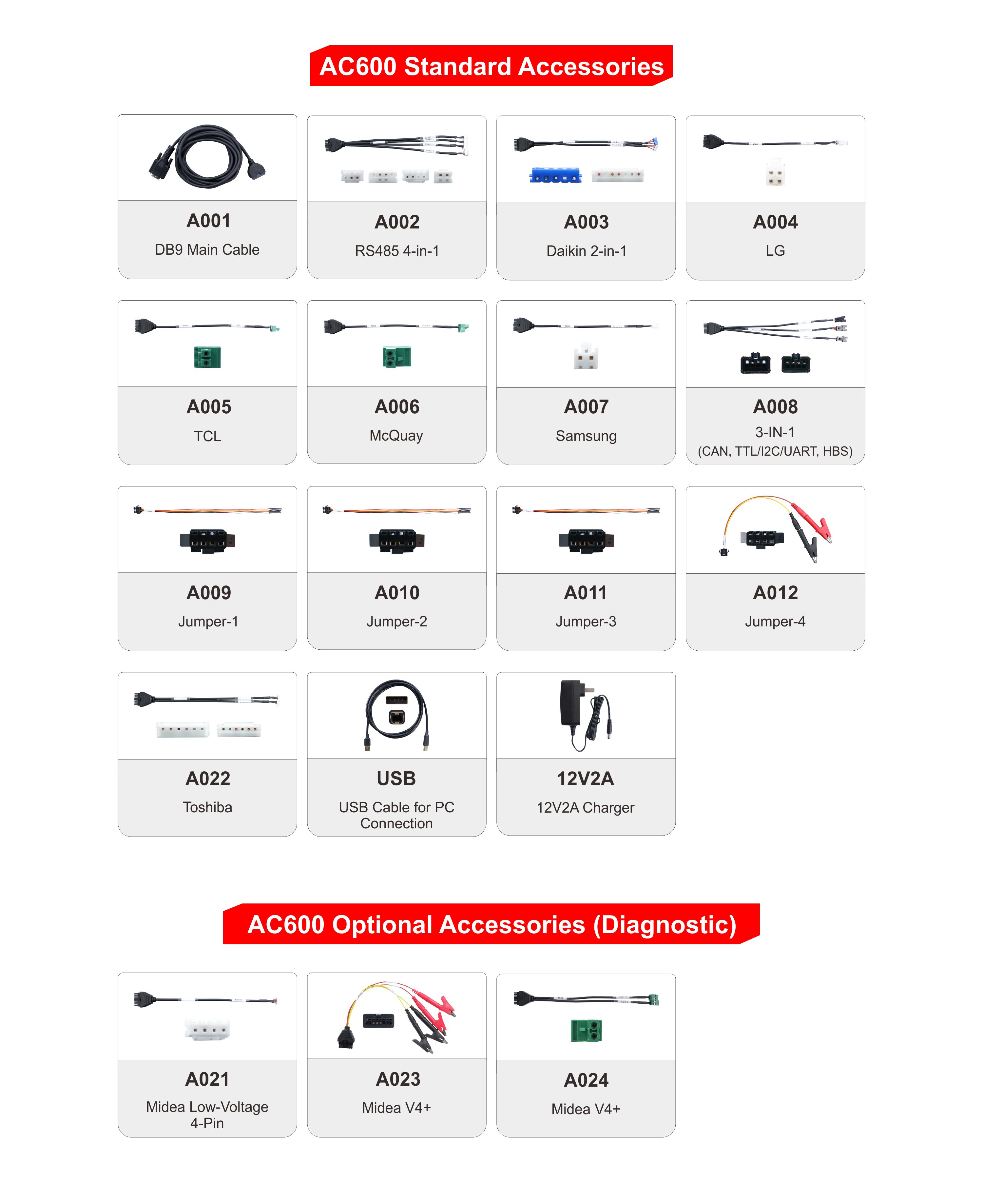
A: The Basic, Standard, and Comprehensive Configurations do not include the module board driver function. This feature must be unlocked separately. Once activated, the manufacturer will ship the required wiring harnesses to the customer.
Software & Updates
Q: What operating systems does the AC600 software support?
A: The PC version supports 64-bit Windows 10 and above. The Android version supports smartphones or tablets running Android 8.0 and above. Apple iOS is currently not supported.
Q: How do I update the software on a new device?
A: Connect the main unit to the App/PC software → Go to the AC600 home screen → Register under [Personal Center] → Log in to your account → Open [Upgrade]→ Select the software to update → Tap [Upgrade]. For devices that are already registered and logged in, simply open [Upgrade] and tap [Upgrade].
Connection & Network
Q: Can my phone and computer connect to the AC600 main unit at the same time?
A: No, simultaneous connection is not supported.
Q: Does the diagnostic tool require an internet connection to operate?
A: Yes. Please ensure the device is connected to a network with a stable connection during use.
Q: What is the password for Bluetooth pairing?
A: The password is "0000" or "1234".
Features & Usage
Q: Does the diagnostic tool provide wiring diagrams for specific HVAC system models?
A: Yes. Once you select the specific brand and model, detailed connection methods and wiring diagrams will be displayed. For models currently lacking wiring diagrams, we will continuously update and add them in the future.
Q: Why are some data names in English in the test results?
A: Some English technical terms have a small "i" icon next to them. Tap it to view the Chinese annotation. All English terms will be translated into Chinese in future updates.
Q: How do I upload logs?
A: On the AC600 home page, select [Support] → [Log Upload], then tap [Upload].
Troubleshooting
Q: What should I do if the diagnostic tool fails to power on?
A: If the device fails to power on, connect the supplied DC power adapter to charge it. If the battery is extremely low, it may take a few minutes. If it still fails to power on, please contact after-sales support for factory repair. (Note: The device may fail to power on in environments with temperatures below 0°C. Please move it to a warmer environment to start it. Once powered on, the device will not be affected by the temperature and will function normally.)
Q: How do I troubleshoot if the diagnostic tool cannot diagnose the HVAC system?
A: 1. Check if the application software is up to date; you can check for updates in [Upgrade].
2. Verify that the HVAC model being tested is supported by the device.
3. Ensure that the wiring harness and connection points match the wiring diagram provided by the device.
4. Ensure the selected path and operating procedure are correct.
5. Check if any fault within the HVAC system itself is causing the connection failure.
6. If all the above checks are normal, please contact the manufacturer's after-sales technical support to report the issue.
Q: When placing an order and making a payment in the mobile app store, it prompts "Please install the Alipay client first" (even though Alipay is already installed). How can this be resolved?
A: This occurs because the current AC600 app's payment module has not yet been natively adapted for HarmonyOS. We recommend using Alipay installed via Zhuoyitong. Alternatively, you can switch to another Android device or make the purchase through the PC software.


 下载
 AC600 B PACKAGE COVERAGE